
Optimize Performance Bottlenecks: A Comprehensive Guide to Boosting System Speed and Efficiency
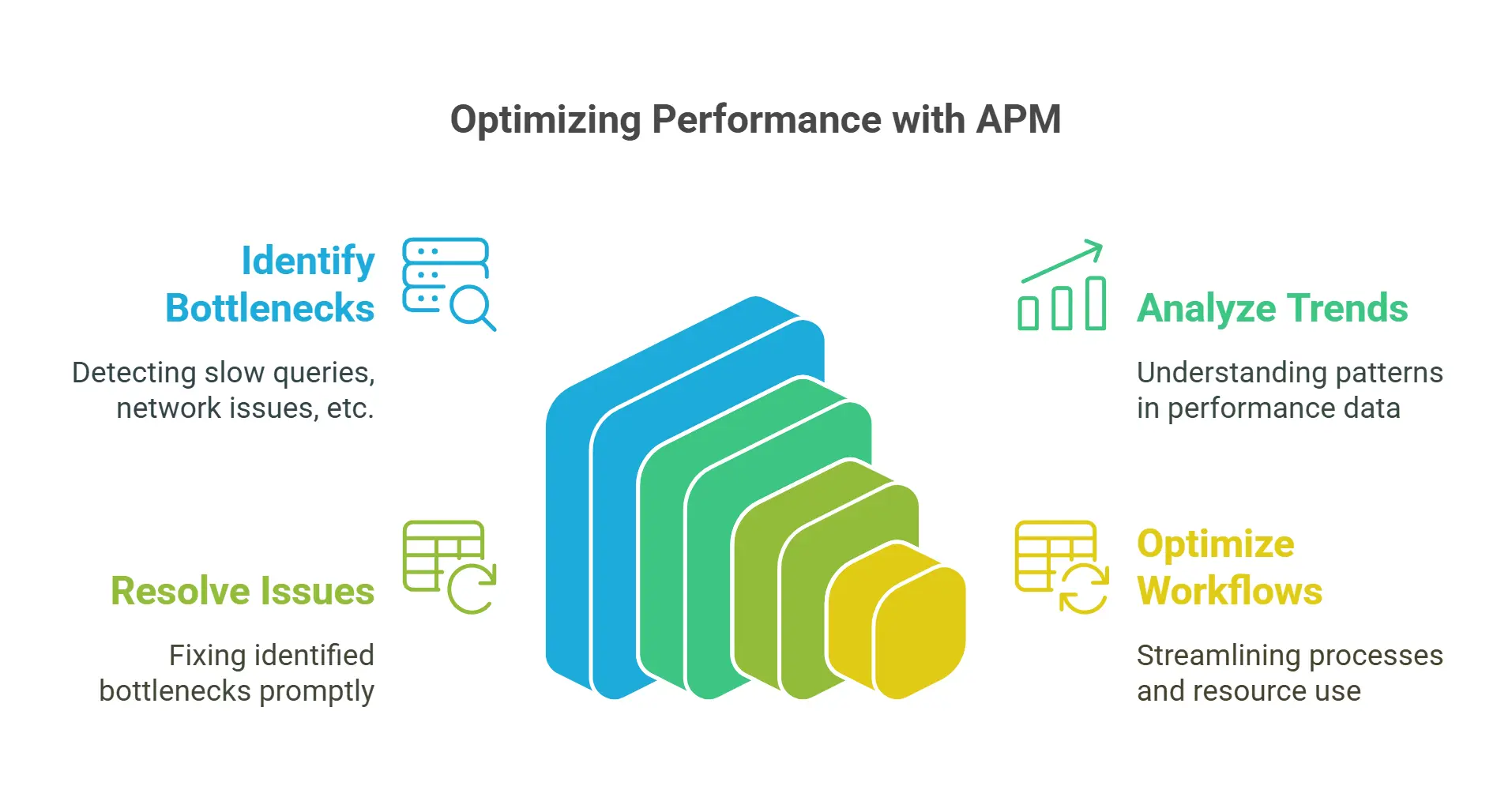
What is APM (Application Performance Monitoring) – Full Guide …
In today’s fast-paced digital landscape, performance optimization is crucial for businesses of all sizes. A single bottleneck can slow down entire systems, leading to decreased productivity, reduced revenue, and a poor user experience. In this article, we’ll delve into the world of performance optimization and explore the steps you can take to identify, mitigate, and eliminate bottlenecks that are holding back your business.
Understanding Performance Bottlenecks
Before we dive into the specifics of performance optimization, it’s essential to understand what constitutes a bottleneck in the first place. A bottleneck is a point in a system where processing power, memory, or other resources are constrained, resulting in slow speeds, errors, and decreased overall performance. Bottlenecks can arise from various sources, including:
1. Hardware limitations: Insufficient RAM, outdated processors, or inadequate storage capacity can all contribute to bottlenecks.
2. Software issues: Slow database queries, inefficient algorithms, or resource-intensive applications can also cause bottlenecks.
3. Network congestion: High network latency, packet loss, or slow data transfer rates can all impact system performance.
4. User behavior: Heavy usage patterns, frequent updates, or large datasets can put pressure on systems, leading to bottlenecks.
Identifying Performance Bottlenecks
To optimize performance, it’s crucial to identify the bottlenecks that are holding back your business. Here are some steps you can take:
1. Monitor system performance: Use tools like CPU-Z, GPU-Z, or top to monitor system resource usage and identify potential bottlenecks.
2. Analyze user behavior: Track user activity, such as login times, data transfer rates, or application response times, to identify areas of congestion.
3. Run benchmark tests: Conduct thorough benchmarking tests to determine the performance characteristics of your systems and applications.
4. Consult with experts: Seek advice from experienced IT professionals, developers, or system administrators who can provide valuable insights into potential bottlenecks.
Types of Bottlenecks
There are several types of bottlenecks that can occur in different contexts:
1. CPU bottlenecks: Insufficient processing power can lead to slow response times, errors, and decreased performance.
2. Memory bottlenecks: Inadequate RAM or memory allocation can cause system crashes, slowdowns, and poor performance.
3. Disk bottlenecks: Slow disk speeds, inadequate storage capacity, or high I/O rates can all contribute to bottlenecks.
4. Network bottlenecks: High latency, packet loss, or slow data transfer rates can impact system performance.
Addressing CPU Bottlenecks
CPU bottlenecks are a common issue in many systems. Here are some strategies for addressing them:
1. Upgrade hardware: Consider upgrading to faster processors, adding more cores, or increasing RAM capacity.
2. Optimize code: Rewrite inefficient algorithms, use caching mechanisms, and apply parallel processing techniques to reduce computational overhead.
3. Use multithreading: Implement multithreading techniques to take advantage of multiple CPU cores and improve overall performance.
4. Utilize GPU acceleration: Leverage graphics processing units (GPUs) for compute-intensive tasks, such as scientific simulations or data analysis.
Real-world Example: Google’s Chrome Browser
Google’s Chrome browser is a prime example of how addressing CPU bottlenecks can lead to significant improvements in system speed and efficiency. By leveraging multithreading techniques, caching mechanisms, and GPU acceleration, Chrome was able to achieve faster page loads, improved responsiveness, and reduced memory usage.
Addressing Memory Bottlenecks
Memory bottlenecks can occur when RAM or memory allocation is inadequate. Here are some strategies for addressing them:
1. Upgrade hardware: Consider adding more RAM, upgrading to faster memory technologies (e.g., DDR4), or increasing storage capacity.
2. Optimize code: Reduce memory usage by using efficient data structures, minimizing object creation, and applying compression techniques.
3. Use memory-mapped files: Utilize memory-mapped files to reduce memory allocation and improve performance.
4. Implement disk caching: Leverage disk caching mechanisms to reduce the need for disk I/O operations.
Real-world Example: Apache HTTP Server

Optimize SQL Queries: Uncover Performance Bottlenecks | Coursera
Apache HTTP server is a classic example of how addressing memory bottlenecks can lead to improved system efficiency. By optimizing code, reducing memory usage, and implementing disk caching mechanisms, Apache was able to improve performance, reduce memory allocation, and increase scalability.
Addressing Disk Bottlenecks
Disk bottlenecks occur when storage capacity or I/O rates are insufficient. Here are some strategies for addressing them:
1. Upgrade hardware: Consider adding more storage capacity, upgrading to faster storage technologies (e.g., SSDs), or increasing disk I/O rates.
2. Optimize code: Apply efficient data storage mechanisms, reduce disk I/O operations, and utilize caching techniques.
3. Use solid-state drives (SSDs): Leverage SSDs for critical applications that require fast read/write speeds.
4. Implement data compression: Utilize data compression techniques to reduce the amount of data stored on disk.
Real-world Example: MySQL Database
MySQL database is a prime example of how addressing disk bottlenecks can lead to improved system performance. By optimizing code, reducing disk I/O operations, and utilizing caching mechanisms, MySQL was able to improve query performance, increase scalability, and reduce storage requirements.
Addressing Network Bottlenecks
Network bottlenecks occur when network latency, packet loss, or slow data transfer rates are present. Here are some strategies for addressing them:
1. Upgrade hardware: Consider upgrading network equipment, adding more bandwidth, or increasing latency reduction techniques.
2. Optimize code: Apply efficient networking protocols, reduce latency, and utilize caching mechanisms.
3. Use content delivery networks (CDNs): Leverage CDNs to distribute content across multiple servers, reducing latency and improving performance.
4. Implement quality of service (QoS): Utilize QoS techniques to prioritize critical applications or traffic.
Real-world Example: Netflix Streaming Service
Netflix streaming service is a prime example of how addressing network bottlenecks can lead to improved system performance. By optimizing code, utilizing caching mechanisms, and leveraging CDNs, Netflix was able to improve content delivery speeds, reduce latency, and increase user satisfaction.
Practical Tips for Performance Optimization
Here are some practical tips for performance optimization:
1. Monitor system performance: Regularly monitor system resource usage, disk I/O operations, network latency, and other key metrics.
2. Run benchmark tests: Conduct thorough benchmarking tests to determine the performance characteristics of your systems and applications.
3. Optimize code: Apply efficient algorithms, reduce computational overhead, and utilize caching mechanisms.
4. Utilize hardware acceleration: Leverage graphics processing units (GPUs), central processing units (CPUs), or other specialized hardware for compute-intensive tasks.
5. Implement load balancing: Distribute workload across multiple servers to improve scalability and performance.
Best Practices for Performance Optimization
Here are some best practices for performance optimization:
1. Prioritize performance: Identify critical applications or traffic that require high performance and prioritize optimization efforts accordingly.
2. Optimize for the future: Consider future system requirements, scalability, and growth when implementing performance optimizations.
3. Leverage automation: Utilize automated tools and scripts to streamline performance optimization processes.
4. Monitor and analyze results: Regularly monitor system performance and analyze results to identify areas of improvement.
Conclusion
In conclusion, performance optimization is a critical aspect of modern business operations. By identifying and addressing bottlenecks, businesses can improve system speed, efficiency, and overall user experience. By leveraging strategies such as CPU acceleration, memory-mapped files, disk caching, and network optimization, businesses can reduce latency, increase scalability, and improve competitiveness in the digital marketplace.
Remember, performance optimization is an ongoing process that requires continuous monitoring, analysis, and improvement. By prioritizing performance, optimizing code, utilizing hardware acceleration, and implementing load balancing techniques, businesses can achieve significant improvements in system speed and efficiency.
What is APM (Application Performance Monitoring) – Full Guide …